Showing posts with label Hardware Insights. Show all posts

June 9, 2013

Smokybob's Chromebook Pixel insights

by: +Mauro Solcia (Smokybob)

I've been using the Chromebook Pixel for a month now, not 100% of the time I'm on the PC, but mostly every evening: and I've found out that the interface of the whole system is a lot more distraction free than using a Win7 pc to do the same things.

The notifications are quieter, less intruding and I still see them all.

The videos are fantastic, but we the upper and lower black bands are a little annoying (V2 16:10 please?).

The touchscreen is not one of the things I use the most, but it's really handy when I have to jump around a lot of links in blog posts used as sources for my own (about that.... I need to post this quickly and get back to work :-P).

Still a little bit short on the development side, but as I'm mostly connected to the Interweb, there are a lot of great online IDE and the latest one I'm trying is +Codenvy  and I'm really impressed of how well it's working: a packaged app would be good with online functions (like deploy and such) enabled only when needed, but the core coding ones available even offline.

Google Drive, AppScript, Calendar (fixed it XD) and Gmail are great; G+ and Google Play are working even better than on my Win7 pc that is more powerful.

The audio is awesome but the volume is a bit strange... seem like the first 80% is fine tuning than it's like "What the hell you want to kill your ears, so I'll add 20db every step"

The brightness is astonishing, it's a little bit disturbing that every time you turn it on or plug the power in it goes to 100% and normally blind you for a couple of seconds if you are in a dark room (I like to write at night within dark rooms :-P).

April 22, 2013

Fix your internet problems with 4 internet sources using Load Balance Broadband Routers


Nowadays internet is very important in most people's lives, and the demand for broadband services growing but really high broadband (+20Mbps) it's not available in most places and sometimes the service it's not only slow, but it's fails every now and then, or maybe the internet service is great, but there are just too many people needing too much broadband at the same time, for example, let's imagine modern scenarios:

A couple it's watching a FullHD movie on Netflix in the living room, at the same time they're daughter it's having a Google+ Hangout with 9 friends because they are making plans for the school trip, her brother it's on the next room playing a First-Action-Shooter on X-Box live using headsets to talk to each other, additionally they all have smartphones, that means 4 different computers who are also downloading tweets, checking e-mail, Facebook, Google+ and maybe even updates... it may sound like too much, but it's not such a rare scenario.

Another problem it's when it's critical to always have an available source of internet, like it happens in most businesses, in this case they might not need too much broadband, but they have a lot of people using a small amount, but all at the same time.

Both scenarios could be solved by using a multi-WAN access point, this looks just like a normal hub, but it can handle many (usually 2 or up to 4) internet sources and distribute the resources as needed in an efficient way, more expensive hardware will be better and handling more requests and the same time, and this is the main point we need to take in consideration when choosing the correct multi-wan hardware.

In the house scenario, they could meet their needs with 3 or 4 internet internet services at 4Mbps each, it would be much more efficient (from a network perspective) to use many "cheap" internet sources, this will limit single connection requests, making sure there will always be a "free" one, also downloading something from a P2P source like Bittorrent makes full use of all the available power in a more efficient way by allowing more separate connections.

In the office scenario it might be better to choose a more expensive option since in an office there are going to be lots of different connection requests made by the employees, the amount of broadband will change, but most places just need to check e-mail, register sales, check pages, catalogs, etc... for this scenarios 4 lines with 2 Mbps each will be enough for a lot of employees.

When implementing Multi-WAN it's best to have internet from different company's, this may sound like a problem, but maybe you can hire internet/telephone from one company and cable-tv/internet from another. So if one fails, the other might still work. This will help avoid losing all sources simultaneously. At the office, if you have many telephone lines, you may hire up to 3 ADSL services from your favourite telephone company, also usually offer the best speeds but always hire the last line from a different source, like cable or (if available) the internet from the power lines.

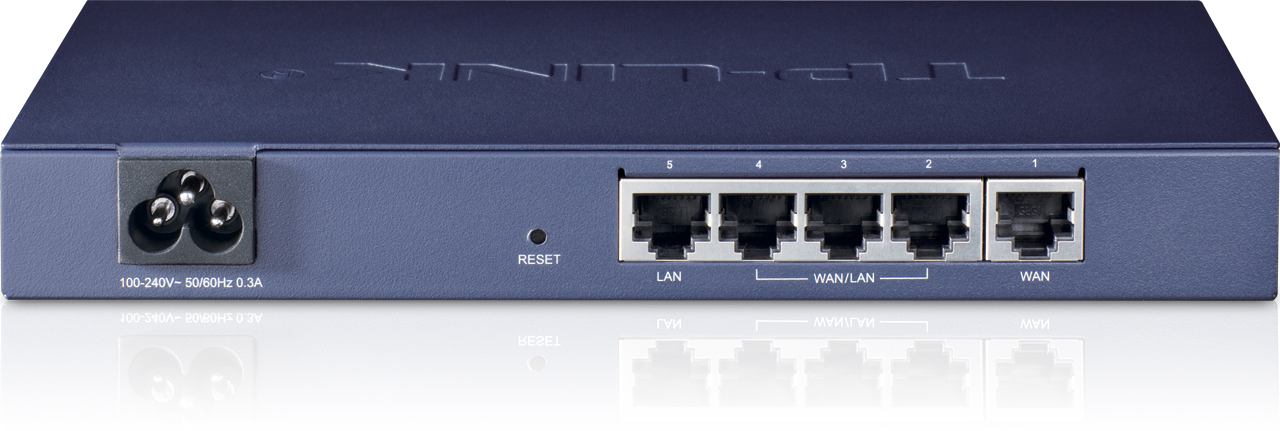
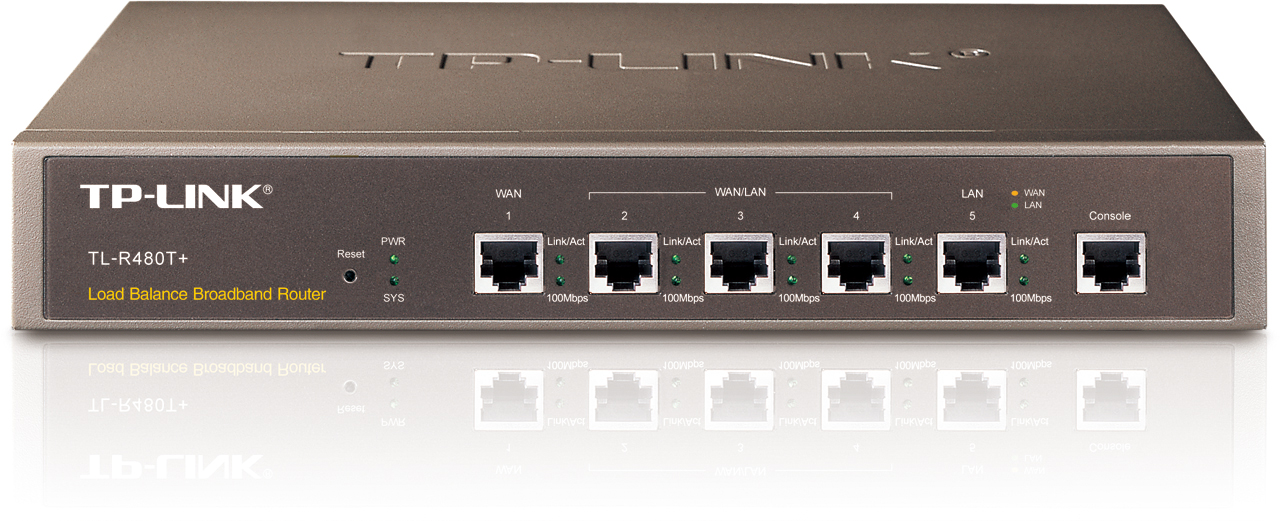
We recommend using TP-LINK Load Balance Broadband Routers, it provides 3 different models so it's just picking up the one that best suits your needs/budget:

TL-R470T+

Ideal for Gaming/House/Small office  applications.

1 Fixed WAN port, 1 Fixed LAN port, 3 LAN/WAN ports.
Suited for UTP network cable up to Cat 5e.
Memory: 4MB Flash, 64Mb DRAM.
Performance of up to 10,000 concurrent session


Ideal for Small Gaming Centers/Medium office applications.

1 Fixed WAN port, 1 Fixed LAN port, 3 LAN/WAN ports.
Suited for UTP network cable up to Cat 5e.
Memory: 4MB Flash, 64Mb DRAM.
Performance of up to 30,000 concurrent session.


TL-ER5120

Ideal for Big Gaming Centers/Large Office/Enterprise applications.


Gigabit Ethernet on all ports.
1 Fixed WAN port, 1 Fixed LAN port, 3 LAN/WAN ports.
Suited for UTP network cable up to Cat 6.
Memory: 8MB Flash, 128Mb DDRII DRAM.
Performance of up to 120,000 concurrent session.
350Mbps NAT Throughput.


All these products can be found on ebay, the TL-R470P+ costs about $70 dollars.

Feel free to let us know about your ideas, suggestions, requests, etc at the bottom of this article.

April 17, 2013

Our recommendations for the office, the AMD Sempron145


It might be tricky to choose the right hardware for the office in a sea of options, the winner is usually the best looking PC at the store (within an affordable price), and this leads most business to end with Intel Atom powered computers, why? well, Intel invests a lot on advertising and it's deals with most major manufacturers makes it the most common option, giving the impression that it is better... but then, this is why most people associate office computers with poor performance. This is not only the processor's fault, bad configuration (both hardware and software) and poor maintenance.

Also, it is common to expect that a new computer, made by some famous computer manufacturer will come in optimal configuration just out of the box (especially since opening the computer to add anything will void the warranty in most cases), but this is not true at all! this company's usually care more about revenue and need to comply with contracts, this is especially true in entry-level level computers (and all Atom/Sempron computers falls in this category).

My favourite feature of the Sempron145 is it's the amount and kind of RAM it can handle, up to 32Gb of DDR3 (1333mhz) (we recommend a minimum of 4Gb and a maximum of 8Gb) with 10.6GB/s of memory bandwidth, which out scales Intel Atom, who can only hande up to 4Gb of DDR3 (1066mhz for the latest Atom 2800, the rest is 800 mhz or less) with a memory bandwidth of 6.4GB/s (Intel Atom D510). Why is this huge difference? Mostly because of the physical address extension, the Sempron has 62 bits and the Atom still uses the old (and now insufficient) 32 bit.

Another difference is the internal architecture for data handling, the AMD Sempron145 it's core has a Single-core/Single-thread at 2.8 Ghz which makes sense in the Office where people usually requires a single task done pretty fast at a time, while Intel Atom focus on parallel processing wtih 2-cores/4-threads but running at only 1.6Ghz (for the Atom D510), so it "can handle many things" in theory, but in real life, it handles everything so slow that overall performance just seems slow.

A more direct aproach to compare this could be done by benchmark scores (performance average tests) on both, so let's see what http://www.cpubenchmark.net/ says about it on its benchmarks list, for the Atom N2800 (1.86 Ghz) its 644 and 678 for the Atom D510 (1.66 Ghz) while the AMD Sempron shows 847, that's even above some Intel Core2 Duo models.

You can find the complete information from the manufacturers in the following links:

AMD Sempron 145
 http://www.amd.com/us/products/desktop/processors/sempron/Pages/AMD-sempron-processor-for-desktop.aspx

Intel Atom D510
http://ark.intel.com/products/43098/Intel-Atom-Processor-D510-1M-Cache-1_66-GHz

Intel Atom N2800
http://ark.intel.com/products/58917/Intel-Atom-Processor-N2800-(1M-Cache-1_86-GHz)

For a well balanced, cost-effective solution we recommend pairing the AMD Sempron 145 with a video card like the AMD Radeon ONE HD5450 (very cheap and comes with 512mb or 1Gb of video memory) and 8Gb of DDR3 1333mhz RAM. This build is ready (and great) for Dual-Screen, which helps people in the office to be much more productive, specially with the nice performance this build provides in most office applications, including Full-HD video-conference. We recommend Samsung's wide screen LED displays for being stylish, cost-effective and provides great images, 19" and 21.5" are the most popular choices for the office, looking for a nice and cost-effective wireless mouse and keyboard? add Logitech's MK220

Feel free to let us know about your ideas, suggestions, requests, etc. at the bottom of this article.