April 25, 2013

CLFR and Stirling Engines, a promising duo for the future of solar technology!


Fresnel lenses are pretty cool, they are big, flat and you can melt some metals if you have a large enough one and a sunny day... But they are hard to manufacture (and therefore expensive) especially the large, powerful ones that are need by most electric and industrial needs

There are many ways to use the principle behind Fresnel lenses, once of them is the Compact Linear Fresnel Reflector which uses an array of large and flat hori by distributing the light in many long areas (as long as the flat mirrors used) it puts less stress on the absorbers (usually up to 300 °C, allowing to use cheaper materials and a less exotic transfer fluid if needed, it can produce Steam, Saturated Steam or transfer the heat using a synthetic oil to power some heat exchange machine. It is also a modular approach so it can grow as needed so long one has enough space (and budget).

This diagram shows how the light is reflected in the absorbers in a CLFR, in this case the is one absorber at each side of the mirror array.


Here is a video that demonstrates the use of CLFR technology in creating solar power:


You can use CLFR's as a heat source for a Stirling Engine which is particularly efficient (and ecological) into transforming heat into mechanical work which can be used for machinery, generate electricity, or both, this works best if you have a cold source, like ice, a lot of fresh water or even warming cool air in very cold places, this is because stirling engines gathers energy from the thermal transference between the hot and cold zone, so the bigger the difference, the more power it can generate in less space.

If efficiency is crucial and cost its not a problem, multiple layers of smaller stirling engines can be used to transform most of the heat into work, every layer significantly improves efficiency (and cost) by gathering the transferred heat from the previous layer of engines and passing it into another (colder) reservoir. Stirling engines can be adjusted to work even with the heat of the palm of your hand! You can see an example on this video,


Another great thing about using Stirling Engines is that you can leverage costs by producing solar energy day and night! This might sound impossible, but if you gather a lot of energy during the day and store it in a thermally insulated reservoir, you can use stirling engines to extract it slowly (and efficiently) working for as long as there is some heat remaining, so if large enough it could make engine keep running on rainy days, it will even have a little extra performance on those first cold and rainy days since the outside temperature will be even colder than it was the day it was collected, that means even more "free" thermal difference. Also, stirling engines can get expensive, so one can leverage both technologies to provide a very reliable source of power in some places, like developing countries located in places with a lot of sun like tropical places, deserts or even places permanently covered by Snow (this places require deeper heat storage and/or better thermal isolation.

Here is an animation that shows the internal work of the Alpha type Stirling engine, it is important to notice that there is no engine exhaust or combustion at all, all the work come from the temperature difference between the hot and cold sides.


Also, a very small scale demonstration of a Beta type Stirling engine running around 5,000 rpm using the sun and fresnel lens as a heat source can be seen on this video.


Do you have any cool ideas about green technologies? Feel free to post your ideas at the bottom of the article or in our Google+ Site!

April 24, 2013

How to save your favorite web page, web app or browser game as an "application" shortcut using Google Chrome and Windows


Google Chrome has a very handy option that allows you to save a shortcut to any web page that looks like a Web App, it does so by saving a special shortcut in your Desktop (great for our favourite web pages), Start Menu (Great for Google Docs, Spreadsheets, Drawings, Apps Script, etc) or Pin to the Task Bar (save this for the most used ones, like Google Drive) and it will even use the web-page's icon, so far it sounds like a normal shortcut, but when we click on the icon, it open a stripped-off version of Google Chrome without tabs, buttons, address bar or menus.

To create one its very simple, just go to the page you want to save as a "Web App" using Google Chrome and do the following simple steps:


  1. Click on the Chrome Menu ( ).
  2. Select Tools.
  3. Select Create Application shortcuts.
  4. In the dialog that appears, choose which shortcuts you prefer.
  5. Enjoy!
Here you can see the differences between a normal browser tab and an Application Shortcut

Normal Web Browser Tab


Application Shortcut

Neat right?

Here are a few ideas about which pages are great for this option:

  • Facebook.
  • Google+.
  • Youtube.
  • Twitter.
  • G.Mail.
  • G.Drive.
  • Adsense Dashboard.
  • G. Analytics.
  • Blogger.
Or your favourite Browser games, like Travian...

Feel free to let us know about your ideas, suggestions, requests, etc at the bottom of this article.

April 22, 2013

Fix your internet problems with 4 internet sources using Load Balance Broadband Routers


Nowadays internet is very important in most people's lives, and the demand for broadband services growing but really high broadband (+20Mbps) it's not available in most places and sometimes the service it's not only slow, but it's fails every now and then, or maybe the internet service is great, but there are just too many people needing too much broadband at the same time, for example, let's imagine modern scenarios:

A couple it's watching a FullHD movie on Netflix in the living room, at the same time they're daughter it's having a Google+ Hangout with 9 friends because they are making plans for the school trip, her brother it's on the next room playing a First-Action-Shooter on X-Box live using headsets to talk to each other, additionally they all have smartphones, that means 4 different computers who are also downloading tweets, checking e-mail, Facebook, Google+ and maybe even updates... it may sound like too much, but it's not such a rare scenario.

Another problem it's when it's critical to always have an available source of internet, like it happens in most businesses, in this case they might not need too much broadband, but they have a lot of people using a small amount, but all at the same time.

Both scenarios could be solved by using a multi-WAN access point, this looks just like a normal hub, but it can handle many (usually 2 or up to 4) internet sources and distribute the resources as needed in an efficient way, more expensive hardware will be better and handling more requests and the same time, and this is the main point we need to take in consideration when choosing the correct multi-wan hardware.

In the house scenario, they could meet their needs with 3 or 4 internet internet services at 4Mbps each, it would be much more efficient (from a network perspective) to use many "cheap" internet sources, this will limit single connection requests, making sure there will always be a "free" one, also downloading something from a P2P source like Bittorrent makes full use of all the available power in a more efficient way by allowing more separate connections.

In the office scenario it might be better to choose a more expensive option since in an office there are going to be lots of different connection requests made by the employees, the amount of broadband will change, but most places just need to check e-mail, register sales, check pages, catalogs, etc... for this scenarios 4 lines with 2 Mbps each will be enough for a lot of employees.

When implementing Multi-WAN it's best to have internet from different company's, this may sound like a problem, but maybe you can hire internet/telephone from one company and cable-tv/internet from another. So if one fails, the other might still work. This will help avoid losing all sources simultaneously. At the office, if you have many telephone lines, you may hire up to 3 ADSL services from your favourite telephone company, also usually offer the best speeds but always hire the last line from a different source, like cable or (if available) the internet from the power lines.

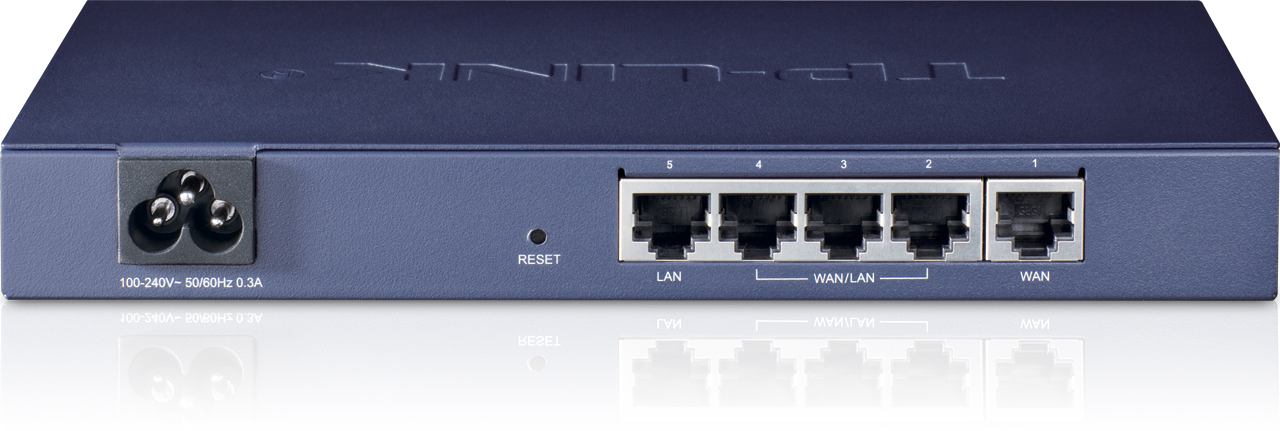
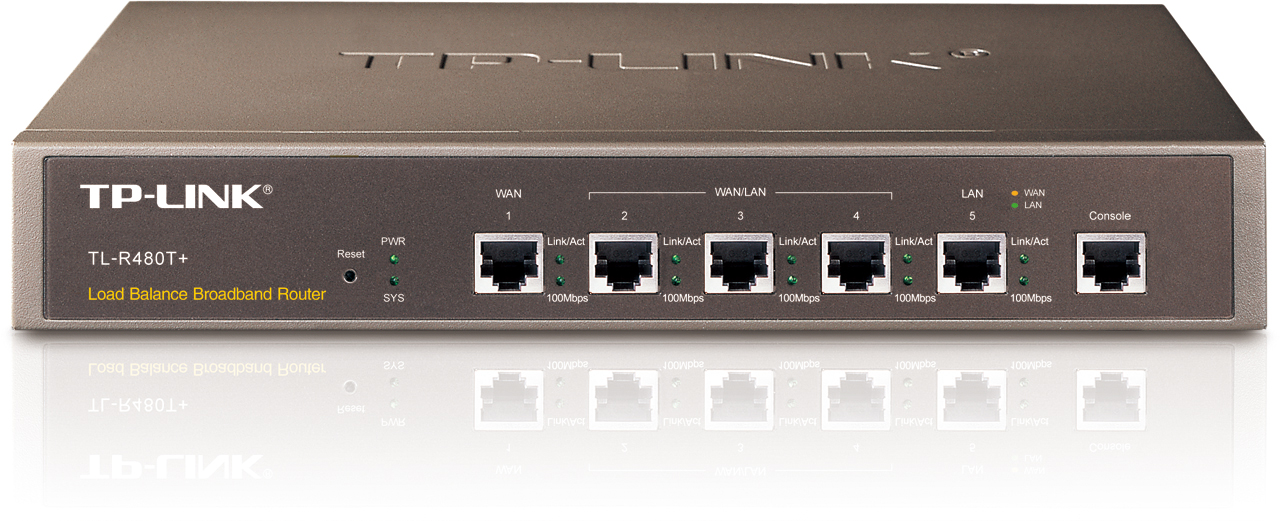
We recommend using TP-LINK Load Balance Broadband Routers, it provides 3 different models so it's just picking up the one that best suits your needs/budget:

TL-R470T+

Ideal for Gaming/House/Small office  applications.

1 Fixed WAN port, 1 Fixed LAN port, 3 LAN/WAN ports.
Suited for UTP network cable up to Cat 5e.
Memory: 4MB Flash, 64Mb DRAM.
Performance of up to 10,000 concurrent session


Ideal for Small Gaming Centers/Medium office applications.

1 Fixed WAN port, 1 Fixed LAN port, 3 LAN/WAN ports.
Suited for UTP network cable up to Cat 5e.
Memory: 4MB Flash, 64Mb DRAM.
Performance of up to 30,000 concurrent session.


TL-ER5120

Ideal for Big Gaming Centers/Large Office/Enterprise applications.


Gigabit Ethernet on all ports.
1 Fixed WAN port, 1 Fixed LAN port, 3 LAN/WAN ports.
Suited for UTP network cable up to Cat 6.
Memory: 8MB Flash, 128Mb DDRII DRAM.
Performance of up to 120,000 concurrent session.
350Mbps NAT Throughput.


All these products can be found on ebay, the TL-R470P+ costs about $70 dollars.

Feel free to let us know about your ideas, suggestions, requests, etc at the bottom of this article.